
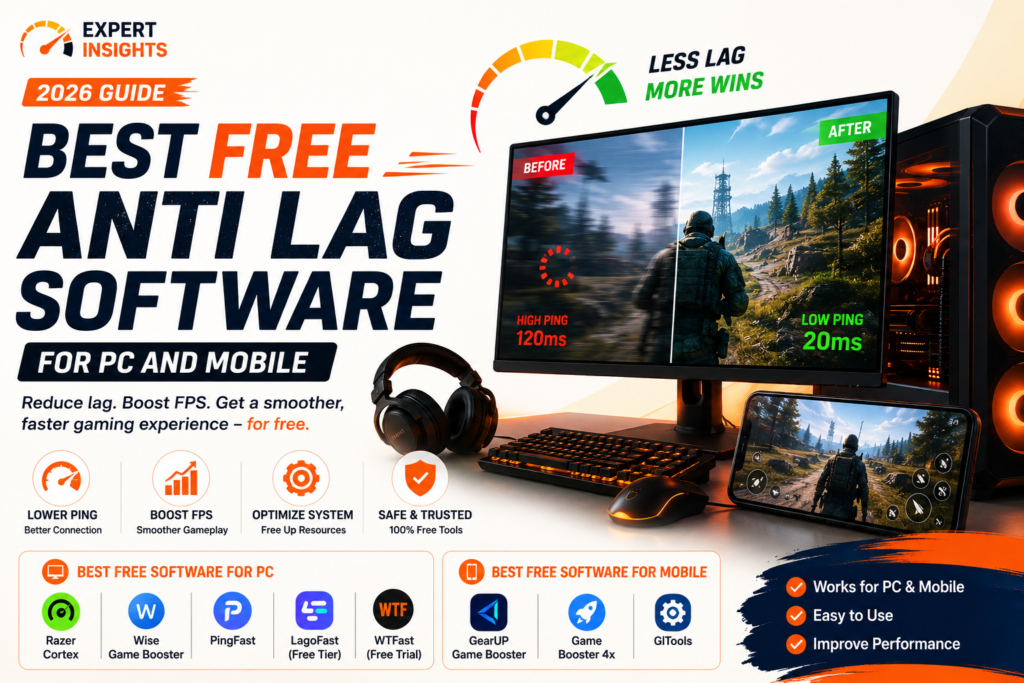
If you’ve searched for the best free anti lag software before, you’ve probably noticed most guides only cover PC tools, or only cover one single app, without ever explaining what these tools actually fix versus what they can’t touch. That gap matters, because lag has several different causes, and no piece of software can solve all of them. This guide covers genuinely free anti lag software for both PC and mobile gaming, explains honestly what each type of tool can realistically improve, and includes safety information most comparisons skip entirely. You’ll also learn a few free changes you can make without installing anything at all. By the end, you’ll know exactly which free tool, if any, actually fits your specific lag problem.
What Actually Causes Lag
Before comparing tools, it helps to know what you’re fighting, since “lag” gets used as a catch-all term for several different problems.
- Network latency happens when data takes too long to travel between your device and the game server, often because of distance, network congestion, or an inefficient routing path.
- Input latency is the delay between pressing a button and seeing the action happen on screen, caused by a combination of your device’s processing speed, display response time, and how the game itself handles input.
- Hardware bottlenecks occur when your CPU, GPU, or RAM can’t keep up with what the game demands, causing frame drops that feel like lag even when your connection is fine.
- Background resource competition happens when other apps and processes are quietly using bandwidth, CPU, or RAM that your game needs.
Anti lag software can genuinely help with network routing and background resource competition. It generally can’t fix a slow internet plan, an outdated GPU, or a game server that’s simply too far from you. Being honest about this distinction is the difference between a tool that helps and one that just runs in the background doing very little.
How We Evaluated These Tools
- Whether it’s actually free, not just free to download with core features locked behind a paywall
- What it optimizes: network routing, system resources, or both
- Platform coverage: PC, mobile, or both
- Safety and permissions required to run it
- Real user feedback and update frequency
Best Free Anti Lag Software for PC
1. Razer Cortex
Razer Cortex is completely free and works by closing unnecessary background processes, prioritizing your game’s CPU and GPU access, and disabling features like CPU sleep mode while you play. It also includes basic system monitoring so you can see resource usage in real time.
It’s a genuinely useful, no-cost option for anyone whose lag is caused by background resource competition rather than network issues, since it doesn’t touch your routing or connection at all.
Good for: PC gamers whose stutter comes from too many background apps competing for resources.
2. Wise Game Booster
Wise Game Booster is a lightweight, fully free tool that closes unnecessary background services and switches your system into a game-focused mode with a single click. It’s simple, with fewer advanced options than Razer Cortex, but it’s fast to set up and doesn’t require an account.
Good for: Anyone who wants a no-frills, one-click system optimizer without extra features they won’t use.
3. PingFast
PingFast is a free Windows tool focused specifically on network-side optimization rather than system resources. It includes a ping test, route analysis, DNS comparison and cache management, MTU testing and adjustment to reduce packet fragmentation, QoS rules to prioritize game traffic, and NAT type testing to check whether your connection is properly configured for online play.
This is a genuinely different category from Razer Cortex or Wise Game Booster, since it targets the network side of lag directly rather than freeing up local system resources.
Good for: Players whose lag is network-related rather than hardware-related, and who want visibility into what’s actually happening with their connection.
4. LagoFast (Free Tier)
LagoFast uses dedicated routing and server nodes to try to reduce ping for supported games, and includes an FPS boost feature alongside its core lag reduction tools. It’s worth knowing upfront that LagoFast isn’t fully free: it operates on a boost-hours model, though new users can claim some free hours through promotional codes.
Good for: Players wanting to test route-based lag reduction for a specific game before deciding whether a paid plan is worth it.
5. WTFast (Free Trial)
WTFast operates what it calls a Gamer’s Private Network, aiming to route your traffic through less congested paths to game servers. Like LagoFast, it isn’t genuinely free long-term: it offers a limited free trial before requiring a paid subscription, and it’s on the pricier end of this category once the trial ends.
Good for: Players wanting to test whether route optimization measurably helps their specific connection before committing to a paid plan.
Best Free Anti Lag Software for Mobile
1. GearUP Game Booster
GearUP is a free Android app that closes background apps, frees up RAM and storage, and offers a dedicated zero-lag mode alongside device temperature monitoring to help prevent thermal throttling during long sessions. It supports over 1,000 games. Some advanced features sit behind a paywall after an initial free trial, so check which features you actually need before assuming full functionality is free.
Good for: Android players wanting broad game compatibility and temperature monitoring in one free app.
2. UU Game Booster
UU Game Booster focuses on reducing latency for mobile games through dedicated routing, alongside basic device performance optimization. It’s free to download, with core latency-reduction features available at no cost.
Good for: Mobile players specifically targeting network latency rather than device performance issues.
3. Game Vortex
Game Vortex is a free game-boosting app that combines background app management with basic network optimization in a simple, beginner-friendly interface.
Good for: Mobile players who want an easy, low-configuration option without a steep learning curve.
4. Anti-Lag (Lag Remover Lower Gaming Ping)
This free Android app optimizes DNS server selection automatically based on your location and network type, or lets you choose a server manually. It’s straightforward to use, though it has a smaller user base and fewer reviews than some alternatives, which is worth factoring in when weighing reliability.
Good for: Users specifically wanting DNS-based optimization with minimal setup.
Free Anti Lag Software at a Glance
| Tool | Platform | Genuinely Free | Focus |
| Razer Cortex | PC | Yes | System resources |
| Wise Game Booster | PC | Yes | System resources |
| PingFast | PC | Yes | Network/routing |
| LagoFast | PC | Freemium (boost hours) | Network routing + FPS |
| WTFast | PC | Free trial only | Network routing |
| GearUP Game Booster | Mobile | Freemium | System resources + temp |
| UU Game Booster | Mobile | Yes | Network latency |
| Game Vortex | Mobile | Yes | System resources + network |
| Anti-Lag | Mobile | Yes | DNS optimization |
Safety Considerations Before You Install Anything
This is a section most comparison guides skip, and it shouldn’t be, since anti lag software typically needs elevated permissions to adjust network settings or manage background processes.
- Download only from official sources. Use the developer’s own website, the Microsoft Store, Google Play, or a reputable platform like Softonic that runs security scans and discloses the results. Avoid random third-party APK sites.
- Check what permissions the app requests. Network and background-process access is expected for this category of tool. Requests for contacts, camera, or messages are not, and should raise a flag.
- Look for a safety scan or virus check disclosed on the download page. Reputable app listings show this information openly rather than burying it.
- Read recent reviews, not just the overall rating. A small number of reviews with an inflated score is a weaker trust signal than a large volume of consistent, recent feedback.
- Be skeptical of tools promising dramatic, guaranteed ping reduction. Route optimization can genuinely help in some cases, but no tool can override a fundamentally slow internet plan or a server that’s simply far away.
Free Ways to Reduce Lag Without Installing Anything
Before reaching for software at all, a few free adjustments are worth trying first:
- Switch to a wired connection if you’re currently on WiFi, since it removes an entire category of wireless interference.
- Close bandwidth-heavy background apps manually, like cloud backups or streaming services, before starting a session.
- Change your DNS server to a faster public option, which sometimes improves connection speed without any dedicated software at all.
- Restart your router periodically, since accumulated connection issues can build up over days or weeks of continuous uptime.
- Check your Wi-Fi channel if multiple devices or neighboring networks are causing interference, and switch to a less congested channel in your router settings.
Frequently Asked Questions
What is the best free anti lag software overall?
It depends on what’s causing your lag. Razer Cortex and Wise Game Booster are the strongest genuinely free options for PC system resource issues, while PingFast is the best free choice specifically for network-side optimization. For mobile, UU Game Booster and GearUP are solid starting points depending on whether network latency or system resources are your bigger issue.
Does free anti lag software actually work?
It depends on the cause of your lag. Tools that free up background resources or optimize DNS and routing can offer a real, measurable improvement in some cases. They can’t fix a fundamentally slow internet connection, outdated hardware, or distance to a game server, so results vary by situation.
Is anti lag software safe to install?
Generally yes, if you download from official sources and check the permissions being requested. Avoid third-party APK sites for mobile apps, and prefer tools with disclosed safety scans or a strong, consistent review history.
What’s the difference between input latency and network lag?
Network lag is caused by delays in data traveling between your device and a game server. Input latency is the delay between pressing a button and seeing the result on screen, which involves your device’s processing speed and display response time rather than your internet connection.
Can system optimization alone fix lag?
Sometimes, if background resource competition is the actual cause. If your lag is network-related instead, system optimization tools like Razer Cortex won’t help much, since they don’t touch your routing or connection at all.
Conclusion
The best free anti lag software depends entirely on what’s actually causing your lag, and no single tool fixes every cause. If background apps are eating your system resources, Razer Cortex or Wise Game Booster genuinely help. If your issue is network routing, PingFast is the strongest free PC option, while UU Game Booster covers similar ground on mobile. Before installing anything, it’s worth trying the free router and connection adjustments covered above, since they cost nothing and sometimes solve the problem entirely. Whatever you choose, download only from official sources, check the permissions being requested, and stay realistic about what software can and can’t fix, since even the best free anti lag software can’t outrun physical distance to a server or a genuinely underpowered connection.