
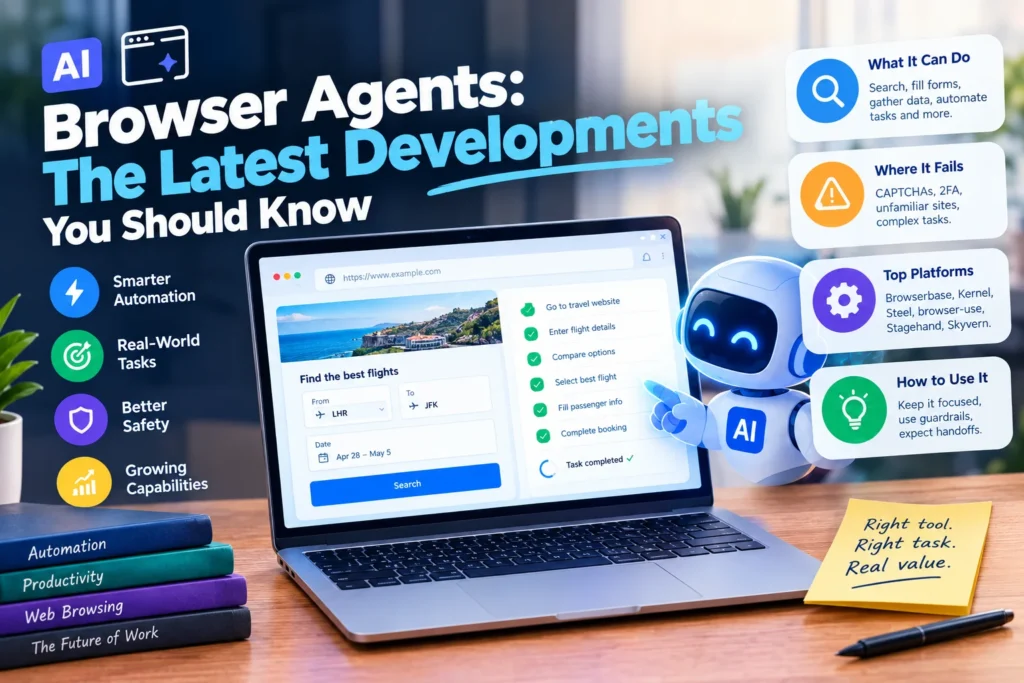
A year ago, watching an AI that controls a web browser felt like a party trick. It would click the wrong button, get stuck on a login screen, or simply give up. That has changed fast. The latest developments in AI browser agents have pushed them from clumsy demos into tools that reliably complete real tasks, while also exposing exactly where they still fall apart. This guide walks through what changed, what these agents can actually do today, where they still fail, and how to use AI browser agents without getting burned by the gap between a demo and a real workflow. If you have wondered what any of this means for your own work, this covers it in plain terms.
Table of Contents
What Is an AI Browser Agent?
An AI browser agent is a system that looks at a webpage, reasons about what it sees, and decides what to click, type, or navigate next, in real time. That is different from older browser automation, which follows a fixed script and breaks the moment a button moves. An AI browser agent can adapt when a page changes, because it is not following steps someone wrote in advance. It is reading the page the way a person would and deciding what to do.
Three Types of Browser AI, and Which One You Actually Want
Searches about AI browser agents usually mean one of three very different things, and mixing them up leads to a lot of wasted time. Sorting this out first will save you a search or two.
| Category | What It Is | Who It Is For |
| Consumer AI browsers | A regular browser with a built in chat assistant, such as Comet, ChatGPT Atlas, or Edge Copilot | Everyday browsing, research, and summarizing pages while you read |
| Agentic developer tools | A system that takes a goal in plain language and completes a task through an API or code | Developers automating workflows, testing, or data collection |
| Browser runtime infrastructure | The actual cloud browser an agent runs on, handling scale, sessions, and blocking | Teams running agents in production at volume |
If you just want an assistant to summarize what you are reading, a consumer AI browser is what you need. If you are building automation, the rest of this guide is for you.
The Latest Developments in AI Browser Agents
A few real shifts explain why AI browser agents suddenly work so much better than they did in 2024.
- Benchmark scores jumped sharply. Leading agents now score in the high 80s on web navigation benchmarks like WebVoyager, up from the teens roughly eighteen months earlier.
- Cost per task collapsed. Running an agent through a multi step task has dropped from dollars to cents, which is what made this practical for smaller teams and individual developers, not just large companies.
- Vision models crossed a real threshold. Screen understanding accuracy climbed into the 90s, so agents now correctly identify buttons, fields, and page layout far more reliably than before.
- Safety features matured. Sandboxed sessions, fine grained permissions, and human in the loop confirmation for sensitive actions are now standard on most platforms, addressing the earlier fear of an agent clicking something it should not.
- Legitimate bot identification is emerging. Some infrastructure providers now partner directly with services like Cloudflare so agents can identify themselves as legitimate automated traffic instead of having to evade detection entirely.
- Benchmark skepticism is growing, and that is a good thing. Independent leaderboards are starting to flag when a vendor’s self reported score cannot be reproduced by outside testers, which is pushing the whole space toward more honest reporting.
What AI Browser Agents Can Actually Do Right Now
Strip away the hype and the marketing, and today’s AI browser agents are genuinely reliable at a specific kind of task. Well scoped, familiar workflows are where they shine.
- Finding specific information across multiple sites and comparing it.
- Filling out and submitting forms on websites the agent has handled before.
- Retrieving and organizing data from pages, including ones without a public API.
- Automating repetitive tasks a person would otherwise click through by hand, like checking a status page or pulling a report.
For a task like finding the cheapest same day flight on a specific route, or submitting a form on a familiar government website, a modern browser agent can complete it reliably without supervision on every single step.
Where AI Browser Agents Still Fail
The honest part matters just as much as the progress. Reliability still lags behind raw capability, and the failure points are consistent across nearly every platform.
- CAPTCHAs and anti bot systems like Cloudflare are specifically designed to stop this kind of automated browsing, and they often succeed.
- Two factor authentication breaks most agent workflows, since the agent cannot receive or act on a code sent to your phone.
- Unfamiliar enterprise interfaces the model has not effectively seen before cause far more mistakes than well known consumer sites.
- Multi step interactions like drag and drop, or uploading a file, still trip up most agents.
- Long, open ended tasks degrade quickly. The more steps and ambiguity involved, the more chances there are for one wrong click to derail the entire task.
The gap becomes even clearer once you move past the browser entirely. On benchmarks that test full desktop control, not just a browser tab, success rates drop to the low double digits. That is a useful reality check against any claim of a fully autonomous digital employee.
Popular AI Browser Agent Platforms Worth Knowing
The platform landscape has grown quickly, splitting roughly into managed infrastructure and open source frameworks.
| Platform | Type | Known For |
| Browserbase | Managed infrastructure | Production grade cloud browsers built for AI agents |
| Kernel | Managed infrastructure | Fast sandboxed browsers with built in anti bot handling |
| Steel | Managed infrastructure | Persistent, authenticated browser sessions |
| browser-use | Open source framework | High level agent reasoning, large developer community |
| Stagehand | Open source framework | Simplified act, extract, observe, agent primitives |
| Skyvern | Open source, no code | Form heavy workflow automation without writing selectors |
Most production systems end up combining a managed infrastructure provider with an open source or framework layer, rather than relying on just one tool. It is worth checking each platform’s current documentation directly before committing, since features and pricing in this space change quickly.
How to Use AI Browser Agents Effectively
Getting real value out of AI browser automation comes down to scoping and guardrails rather than waiting for perfect autonomy.
- Scope tasks narrowly. Point an agent at a well defined workflow rather than an open ended do anything request, since the error rate compounds with every added step.
- Keep a human in the loop for anything consequential. Use the permission and approval features most platforms now offer, especially for actions involving money or account access.
- Design for the real error rate, not the demo. Build in retries and result verification, since an agent will fail sometimes even on a task it usually handles well.
- Expect to hand off at CAPTCHAs, 2FA, and unfamiliar interfaces rather than trying to force an agent through them.
Frequently Asked Questions
What are AI browser agents used for right now? Mainly data retrieval, form filling on familiar sites, research across multiple pages, and automated testing, all under human supervision for anything important.
Are AI browser agents the same as computer use? They overlap. Computer use usually refers to an agent controlling an entire operating system, while a browser agent is scoped to just the browser tab, which is generally more reliable today.
Can AI browser agents get past CAPTCHAs? Not reliably, and this is intentional. CAPTCHAs exist specifically to stop automated browsing, and most legitimate platforms are moving toward identifying agents as legitimate traffic rather than trying to defeat these systems outright.
Is it safe to let an AI browser agent log into my accounts? Only with caution. Use platforms with sandboxing, scoped permissions, and human approval steps for sensitive actions, and avoid giving an agent broad account access it does not need for the specific task.
Conclusion
The latest developments in AI browser agents represent a real jump forward, not just marketing. Benchmark scores climbing into the high 80s, costs dropping to cents per task, and safety features maturing into standard practice have made browser automation genuinely useful for well scoped work. At the same time, CAPTCHAs, two factor authentication, and long open ended tasks remain real limits worth planning around rather than ignoring. Treat AI browser agents as capable tools for bounded, supervised tasks rather than autonomous digital employees, and they deliver real value today. Keep watching this space closely, since the gap between demo and production reliability keeps closing faster than most people expect.