
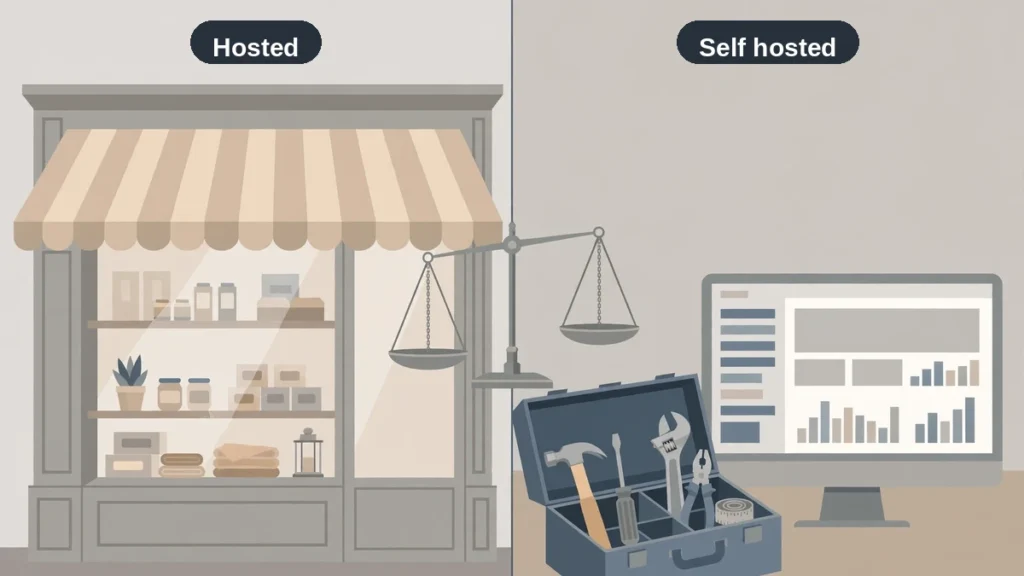
Choosing between Shopify and WooCommerce comes down to one trade. Shopify is a hosted platform that takes care of the servers, security and updates for a monthly fee. WooCommerce is free software that runs on your own WordPress website, which gives you more control and puts the upkeep on you.
So the quick answer is this. Pick Shopify if you want to launch fast without technical help. Pick WooCommerce if you already use WordPress, want to own your code and data, or need payment gateways that Shopify charges extra for. The rest of this Shopify vs WooCommerce comparison covers the real costs, the limits people often miss, and how hard it is to switch later.
Prices and plan details change often. The figures below come from Shopify and WooCommerce pages and from independent roundups, so confirm them before you buy.
Table of Contents
The short answer by type of store
| Your situation | Usually the better fit | Why |
| First store, no developer, want to launch quickly | Shopify | Hosting, security and core updates are handled for you |
| You already run a WordPress site or content led business | WooCommerce | The store lives inside the same site as your content |
| You need a payment gateway Shopify Payments does not cover | WooCommerce | No platform fee for using other gateways |
| You need custom checkout rules or pricing logic | WooCommerce, or Shopify Plus | Code access on WooCommerce, extended checkout tools on Plus |
| Small catalog and a very tight budget | Either, depending on setup | Compare Shopify’s currently available plans with WooCommerce hosting and maintenance costs |
Treat the table as a starting point. Your payment mix, your country and who maintains the store can change the answer, which is why the sections below go deeper.
Hosted vs self hosted: who does the work
A hosted ecommerce platform runs on the provider’s servers. You log in, add products and sell. A self hosted platform is software you install on your own website hosting account, so you choose the host, apply updates and fix problems yourself or pay someone to.
Shopify is the first kind. WooCommerce, a free open source plugin for WordPress, is the second. That one difference explains most of what follows. If you want to compare hosted and self hosted ecommerce platforms in practice, look at who handles each job:
Hosting and speed: Shopify includes hosting. With WooCommerce you pick a host, and your store speed depends heavily on that choice.
Security: Shopify manages its hosted infrastructure, SSL and platform updates, and maintains PCI DSS compliance for its platform. Merchants still need to follow applicable payment security requirements. With WooCommerce you rely on your host, regular updates and security plugins. A managed WooCommerce host can reach a similar level, but someone has to set it up.
Updates: Shopify updates itself. On WooCommerce, WordPress, your theme and each plugin update separately, and careful stores test updates on a staging copy first.
When something breaks: On Shopify you contact support or the app developer, because you cannot see the platform code. On WooCommerce you or a developer can read the code and fix it, which is faster but entirely your responsibility.
What each platform really costs
Monthly price is the number everyone compares first, and it is the least useful one on its own. Payment fees, apps, hosting and developer time usually decide the real cost.
Shopify pricing and fees
Shopify sells plans by tier. These are the commonly listed US prices at the time of writing:
| Plan | Monthly billing | Annual billing (per month) | Extra fee on third party gateways |
| Basic | $39 | $29 | 2% |
| Grow | $105 | $79 | 1% |
| Advanced | $399 | $299 | 0.6% |
| Plus | From $2,300 on a three-year term | Not applicable | 0.2% |
Shopify previously offered a Starter plan for selling through social media, messaging apps and buy buttons rather than running a full online store. However, the Starter plan is no longer available to new stores; existing subscribers may continue using it under Shopify’s applicable terms. Check Shopify’s current pricing overview for plans available in your country.
The fourth column is the one that surprises people. If you take payments through Shopify Payments, Shopify adds no extra transaction fee, and you only pay card processing rates. In the US, roundups list those rates at 2.9% plus 30 cents on Basic, 2.7% on Grow and 2.5% on Advanced. If you use PayPal, Stripe or another outside gateway, Shopify charges its own percentage on top of what that gateway charges.
WooCommerce costs
The WooCommerce plugin is free, and WooCommerce itself takes no cut of your sales. You pay for the pieces around it: a domain, website hosting, a theme, paid extensions where you need them, and maintenance time. Codeable, a WooCommerce development company, puts entry level hosting at roughly $10 to $30 a month, extensions at $100 to $300 a year at launch, and professional setup at $500 to $2,000. Those are one vendor’s estimates, so treat them as ballparks rather than quotes. WooCommerce’s own pricing guidance gives a broader hosting estimate of approximately $25 to $350 per month for many stores, reflecting differences in traffic, performance needs and hosting services. Compare plans based on your store’s actual requirements rather than assuming one figure applies to every business.
Your payment processor still charges its normal rates. Stripe’s US rate, for example, is 2.9% plus 30 cents per card payment, which is the same headline rate Shopify Payments charges on its Basic plan.
A worked example: when does upgrading pay off?
Say your store takes $10,000 a month through PayPal or Stripe instead of Shopify Payments. Shopify’s added fee would be $200 on Basic, $100 on Grow and $60 on Advanced. WooCommerce adds nothing at the platform level.
Now the upgrade question. Moving from Basic to Grow cuts the fee by one percentage point but costs $50 more per month on annual billing ($66 on monthly billing). It pays for itself once outside gateway sales pass about $5,000 a month, or about $6,600 on monthly billing. Moving from Grow to Advanced saves 0.4 points for $220 more per month on annual billing ($294 monthly), which takes roughly $55,000 a month ($73,500 monthly) to break even.
This is simple arithmetic on list prices. It ignores the other features higher plans include, and it only applies if you use an outside gateway. If Shopify Payments is available in your country and works for you, the fee disappears and the comparison shifts back to plan price against hosting and upkeep.
Be careful with vendor calculators from either side. WooCommerce.com publishes a cost example that favors WooCommerce, and Shopify’s own marketing claims lower total cost for Shopify. Both are reasonable inputs, but neither is neutral. A better habit is to enter your own monthly sales, payment method and expected app spend. WooCommerce.com offers a total cost of ownership calculator you can use as one reference point, and Shopify’s pricing page lets you check current plan prices.
Payments, shipping and selling in your country
Shopify Payments is the simplest option, but it is only available in certain countries. Where it is not, you connect an outside gateway and may pay Shopify’s additional third-party transaction fee. WooCommerce has its own payment product, WooPayments, built with Stripe, and its availability also varies by region. The practical difference is that WooCommerce does not charge an additional WooCommerce platform transaction fee for using another gateway, although the payment provider may still charge its own processing fees. For example, as of November 2026, Pakistan is not listed among the supported countries for Shopify Payments or WooPayments. Merchants based in Pakistan should check which third-party gateways support their business location, currency and preferred payment methods before choosing a platform.
This matters most outside the biggest markets, where customers often expect local bank transfers or regional wallets. European payments company Montonio makes this point in its own comparison, although it sells payment tools for both platforms.
Shipping follows the same pattern. Shopify has built in label and rate features whose availability depends on your location. WooCommerce relies on plugins that can connect to almost any carrier, which helps if you use local couriers. For sales tax and VAT, both platforms have tax settings. Check what is built in for your region, because complex destination based rules may need an extra app or plugin on either side.
Setup, security and daily upkeep
Shopify offers a guided setup, and Codeable estimates 30 to 60 minutes for a basic store. The same source puts a small WooCommerce store at 3 to 5 hours for someone with basic WordPress skills, and longer if you are learning WordPress at the same time.
After launch the gap widens. Shopify handles platform updates and platform-level security patches, but merchants should still keep independent backups of important store data and theme files. Shopify provides export options for products, customers and other store information, and themes can be downloaded separately; backup apps can help automate the process. A WooCommerce store needs a weekly look at available updates, time each month to apply them safely, and automated backups that you have tested by restoring one. WPBeginner notes that a managed host, an SSL certificate and a reputable security plugin can bring a WooCommerce store close to the protection of a managed platform. The security ceiling is similar. The work to reach it is different.
Customization limits and product catalogs
Shopify customization works through themes, a visual editor, apps and its Liquid templating language. Most stores never hit a wall. The wall that people do hit is checkout. Many advanced checkout customizations on Shopify require Shopify Plus, which starts at $2,300 a month on a three-year term. The exact customization options available on lower plans depend on the type of change and Shopify’s current checkout extensibility rules.
Product catalogs are another place where older articles mislead. Shopify raised its limit from 100 variants per product to 2,048 variants per product for all merchants in October 2025, according to its changelog. Shopify merchants in its community forum point out that the limit of three options per product and 250 media items per product still applies. Some comparison pages still show the old 100 variant limit.
WooCommerce lets you change nearly anything, including checkout fields, pricing rules, order statuses and API connections. The cost is development time, and a plugin conflict can break your store if nobody tests changes.
There is also the question of who controls the roadmap. WooCommerce.com points to Shopify’s 2023 announcement retiring its older checkout.liquid customization system, which forced affected merchants to rebuild. That is a competitor’s example, but it illustrates the general risk of building on a platform you do not control.
SEO and content marketing
Both platforms can rank in search. The difference is control. Shopify lets you edit page titles, meta descriptions and image alt text, and it generates XML sitemaps automatically. Its URL structure is more fixed, and deeper changes often need apps.
WooCommerce runs on WordPress, so you control URLs, metadata, internal links and structured data, usually through an SEO plugin such as All in One SEO or Yoast. A blog also sits inside the same website as the store, which suits businesses that plan to grow through content. Rankings depend on far more than the platform, so treat SEO as a tie breaker unless content marketing is central to your plan.
Support, apps and plugins
Shopify support: Codeable reports 24/7 live chat on every plan, with phone and email reserved for higher tiers. Shopify does not support third party apps or themes, so those questions go to the app developer.
WooCommerce support: There is no single help desk. Your host handles server issues, plugin developers support their own products, and WooCommerce has documentation and community forums. Developers are widely available if you need custom work.
Apps and plugins: Shopify’s App Store is curated, and many apps charge monthly subscriptions. WooCommerce and WordPress have a much larger library, with many free options and paid extensions that are often a one time or yearly cost.
Ownership, lock in and switching later
On WooCommerce your products, customers and orders sit in a database you control, so you can move hosts or platforms without asking anyone. On Shopify you can export core data such as products and customers, but features built on apps, checkout scripts and automations usually have to be rebuilt elsewhere. That is a trade for the convenience of a managed platform, not a flaw.
If you do switch from Shopify to WooCommerce, Codeable says a typical migration takes 4 to 8 weeks depending on complexity. The work includes transferring data, mapping old URLs to new ones with 301 redirects so you keep search rankings, and replacing app functionality with plugins. Rankings may dip briefly while search engines recrawl the new structure.
AI shopping and agentic commerce
Shopping through AI assistants is changing quickly. Shopify has said that AI shopping will still flow through its checkout, as reported by Retail Brew in February 2026. WooCommerce.com argues that open source stacks can adapt faster. Both are positions from interested parties, and the details are moving. If this matters to your plans, check each platform’s current documentation instead of relying on any comparison article, including this one.
Shopify alternatives worth a look
If neither platform feels right, BigCommerce, Squarespace and Wix are hosted platforms that work much like Shopify. If you mainly sell digital products on WordPress, a plugin such as Easy Digital Downloads may be lighter than WooCommerce. The same logic applies: weigh the control you want against the upkeep you will accept.
Common mistakes when choosing
- Comparing only the monthly fee and ignoring payment fees, apps and hosting.
- Mixing annual and monthly Shopify prices, which can swing a cost comparison by a quarter.
- Treating WooCommerce as free and skipping a maintenance and backup plan.
- Relying on outdated limits, such as the old 100 variant cap.
Frequently asked questions
Is WooCommerce cheaper than Shopify?
Often, but not always. At low sales volumes the totals can be close. WooCommerce tends to win when you use outside payment gateways, because it adds no platform fee. Shopify can win when you value launch speed and would otherwise pay for hosting, maintenance and developer help.
Which is better for beginners?
Shopify is generally easier for people with no technical background because setup is guided and upkeep is handled. WooCommerce suits beginners who are already comfortable with WordPress or have help available.
Which platform is better for SEO?
WooCommerce gives more control over URLs, metadata and structured data. Shopify covers the basics well and is easier to manage. Content quality and site speed matter more than the platform in most cases.
Can I use Shopify with WordPress?
Yes, in a limited way. Shopify’s Starter plan has supported buy buttons that can be added to a WordPress site, sending customers to Shopify’s checkout. However, the Starter plan is no longer available to new stores. This option is mainly relevant to existing eligible Starter subscribers; merchants starting now should check Shopify’s currently available plans and integration options.
Which is more popular, Shopify or WooCommerce?
It depends on the measurement. HTTP Archive data from May 2026, summarized by GravityKit, shows WooCommerce on 6.64% of measured web origins and Shopify on 4.76%, while Shopify leads among the top one million sites. Other trackers report different numbers, so popularity alone is a weak reason to choose.
Conclusion
Choose Shopify if your priority is a working store soon, with predictable upkeep and no technical role for you. Choose WooCommerce if
you value ownership, want your store and content in one WordPress site, or expect to use payment methods that Shopify charges extra for.
The cost difference only becomes clear when you run your own numbers.
If you lean toward WooCommerce but do not want to handle the technical side, get a fixed price quote from a WooCommerce developer before committing. That single quote will tell you whether the lower platform cost survives contact with real setup and maintenance work.