
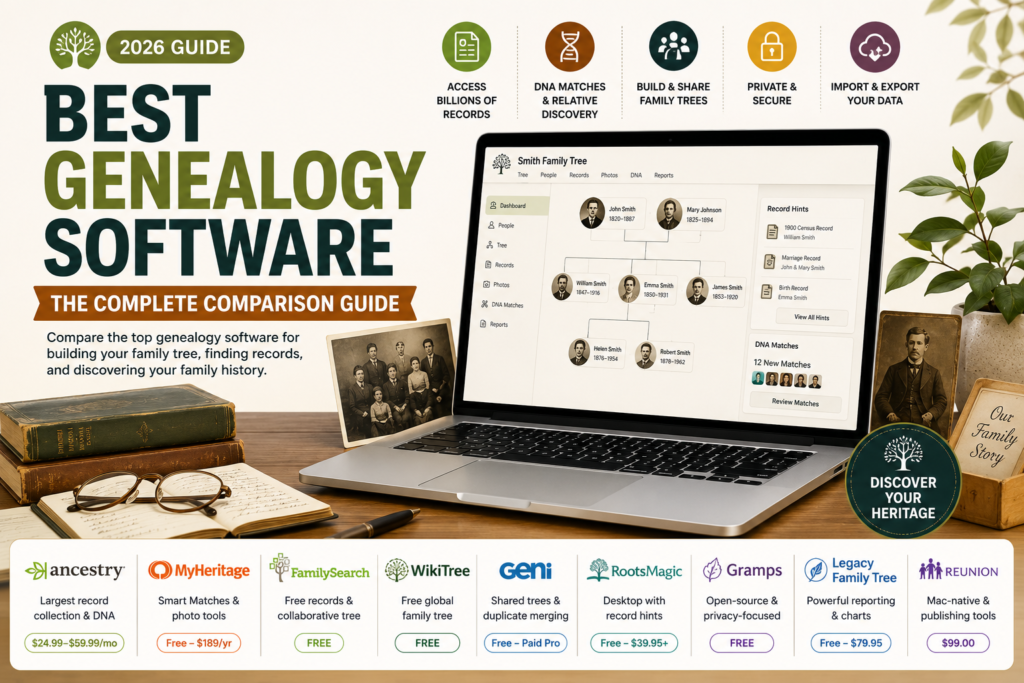
Finding the best genealogy software should be simple, but a lot of the guides you’ll find while searching are either AI-generated vendor directories accepting paid listings, or design tools awkwardly repositioning themselves as family tree builders because they can technically draw a chart. This guide sticks to real genealogy software: tools built around records, sources, and family relationships, not diagram makers. We compare each platform honestly, including its actual pricing and its data privacy track record, something almost no comparison covers. You’ll also learn how to match a tool to your specific research style, whether that’s DNA-driven discovery, collaborative family trees, or private offline research. By the end, you’ll know exactly which genealogy software fits how you actually want to research your family history.
Table of Contents
A Quick Note on How This Guide Was Built
We’re not a vendor accepting paid placements, and nothing on this list is here because it paid to be. Every tool below is genuine genealogy software, meaning it handles person profiles, sources, and family relationships as its core function, not a general design tool stretched to fit the category. Pricing was checked against each vendor’s current published rates, and we’ve included real data privacy history where it’s publicly documented, since genealogy platforms often hold sensitive family and genetic information that deserves more scrutiny than it typically gets.
What Is Genealogy Software?
Genealogy software helps you record, organize, and research your family history by connecting people, relationships, and events to sources like birth certificates, census records, and historical documents. Good genealogy software does more than store names and dates. It links genealogical records directly to the people in your tree, tracks where each fact came from, and often helps you discover new relatives through record matching or DNA testing.
The category splits into a few distinct types: web-based platforms with massive record collections (Ancestry, MyHeritage), free collaborative tree services (FamilySearch, WikiTree, Geni), desktop software that keeps your data local (RootsMagic, Gramps, Legacy Family Tree), and Mac-specific tools (Reunion). Which type fits you depends more on your research style than any single feature list.
How We Evaluated These Tools
- Record access and matching: the depth of historical document collections and how well the software connects them to your tree
- DNA integration: whether the platform ties genetic testing results directly to family tree profiles
- Data privacy and security history: publicly documented incidents and how transparently they were handled
- Pricing transparency: real, current costs rather than vague “contact us” pages
- Collaboration model: shared trees versus private, single-user control
- Data portability: GEDCOM import and export support for moving your research elsewhere
Best Genealogy Software: Quick Comparison
| Software | Best For | Pricing | DNA Integration | Data Model |
| Ancestry | Record-driven research with hints | $24.99-$59.99/month | Yes (AncestryDNA) | Web, subscription-based |
| MyHeritage | International records + Smart Matches | Free (250 people) to $189/year | Yes | Web, freemium |
| FamilySearch | Free collaborative tree and records | Free | No native testing, supports linked results | Web, shared tree |
| WikiTree | Free global collaborative tree | Free | Supports linked DNA results | Web, shared tree |
| Geni | Shared trees with duplicate merging | Free, paid Pro tier available | No | Web, shared profiles |
| RootsMagic | One-time purchase desktop with hints | Free version, paid from $39.95 | Via linked accounts | Desktop, local-first |
| Gramps | Open-source, privacy-focused | Free | No | Desktop, local-first |
| Legacy Family Tree | Free Windows desktop with reporting | Free (Standard), $79.95 (Deluxe) | Via linked accounts | Desktop, local-first |
| Reunion | Mac-native publishing and charts | $99.00 | No | Desktop, Mac-only |
Best Genealogy Software, Reviewed
1. Ancestry
Ancestry remains the largest consumer records collection in genealogy, combining census data, immigration records, and military documents with a hint system (the leaf icon) that suggests matches based on your existing tree. AncestryDNA ties genetic testing results directly to your family tree, helping surface relatives you didn’t know about.
Most record images sit behind a paid subscription, and your tree data lives on Ancestry’s servers rather than locally, which is worth considering if data portability matters to you.
Good for: Researchers who want the largest record collection and are comfortable with a web-first, subscription-based workflow.
2. MyHeritage
MyHeritage combines a strong international records collection with Smart Matches, which automatically surface candidate relatives and documents for your tree, plus AI photo enhancement tools for restoring old family images. Its free plan supports trees up to 250 people, with paid tiers unlocking larger trees and full record access.
Worth knowing directly: MyHeritage experienced a significant data breach in 2018 affecting roughly 92 million accounts, though it didn’t include payment or DNA data. The company has since strengthened its security posture, but it’s a data point worth weighing for privacy-conscious users, and it’s the kind of history most comparison guides leave out entirely.
Good for: Families wanting an easy, polished web platform with DNA and photo tools built in.
3. FamilySearch
FamilySearch is a free service, run by The Church of Jesus Christ of Latter-day Saints, offering one of the largest genealogical records collections available at no cost, alongside a globally shared, collaborative family tree. Multiple contributors can attach records and sources to the same individual profiles.
The shared tree model is also its main weakness: since anyone can edit, duplicate or conflicting profiles show up regularly, and keeping your branch clean requires active, ongoing curation.
Good for: Budget-conscious researchers who want free records access and don’t mind a collaborative, community-maintained tree.
4. WikiTree
WikiTree operates on a similar free, collaborative model to FamilySearch, but with a stronger emphasis on sourcing discipline. Every profile is expected to carry citations, and the platform supports DNA match integration for connecting genetic clues to tree relationships.
Like any shared-tree platform, data accuracy depends on community stewardship, and profile merges can get complicated in large, overlapping family lines.
Good for: Collaborative genealogists who want sourced, wiki-style profiles and a global user base.
5. Geni
Geni takes a profile-first approach, where family members are connected into a single shared tree with strong duplicate detection and merging tools, helping keep large, overlapping genealogies from fragmenting into multiple versions of the same person.
Custom sourcing and citation workflows are more limited than dedicated research platforms, and large trees can be harder to fully review for completeness.
Good for: Extended families building one large, shared, connected tree together.
6. RootsMagic
RootsMagic is a one-time purchase desktop program that keeps your primary genealogical data local, while still offering integration hints from FamilySearch, Ancestry, and MyHeritage. That combination, local control plus online record access, appeals to researchers who dislike subscription lock-in.
The interface is desktop-first, so collaboration and mobile access are more limited than web-native platforms unless you actively use its export and cloud-sharing features.
Good for: Serious hobbyists who want strong reporting tools and a one-time cost instead of an ongoing subscription.
7. Gramps
Gramps is free, open-source genealogy software that treats your research as a structured data graph, with separate Source, Citation, and Media entities so evidence stays precisely tied to specific facts. Everything runs locally, and the project is actively maintained by its community.
The tradeoff for that depth is a real learning curve. Setup and report configuration feel more technical than consumer-focused competitors, and the interface prioritizes function over polish.
Good for: Privacy-focused, technically comfortable researchers who want full control over their data and citation structure.
8. Legacy Family Tree
Legacy Family Tree is a Windows desktop program, now fully free in its Standard edition after being acquired by MyHeritage, with strong charting, reporting, and narrative templates for turning research into shareable family history documents. It can also surface record matches from MyHeritage when you’re online.
It’s Windows-only, and some users find the interface dated compared to newer web-native tools.
Good for: Windows users who want free, capable desktop software with strong printed report output.
9. Reunion
Reunion is a Mac-native genealogy application focused on publishing-quality charts, reports, and family history books, with tight integration into macOS features like Calendar and Photos.
It’s exclusive to Mac, with no Windows version and no native DNA integration, so it suits a specific type of user rather than a broad audience.
Good for: macOS users who prioritize polished, print-ready charts and family history books over online record searching.
Data Privacy and Security: What Genealogy Software Guides Usually Skip
Genealogy platforms hold some of the most sensitive personal information you can store online: full family relationships, birth dates, and increasingly, DNA data. Yet very few comparison guides address security history at all. A few things worth checking before committing your family’s data to any platform:
- Has the vendor disclosed any past security incidents? MyHeritage’s 2018 breach is publicly documented; check whether other platforms you’re considering have a similar history and how transparently it was handled.
- Is DNA data stored separately from account credentials? This matters specifically for platforms offering genetic testing.
- Can you export your full tree and delete your account cleanly? Data portability matters more with shared-tree platforms where your research contributes to a larger, collectively maintained database.
- What’s the platform’s policy on law enforcement data requests? Increasingly relevant for DNA-linked genealogy services specifically.
None of this means avoiding platforms with a past incident entirely, security issues happen across the industry, but going in informed is far better than discovering it after your data’s already there.
DNA Integration: A Real Differentiator Worth Comparing Directly
If genetic genealogy matters to your research, this deserves to be a primary comparison point rather than an afterthought. Ancestry and MyHeritage both offer native DNA testing tied directly to tree profiles, letting you see genetic matches alongside your documented research. WikiTree and FamilySearch support linking DNA results from external tests into your research, without offering testing themselves. Desktop tools like Gramps, Reunion, and RootsMagic generally don’t handle DNA natively, though RootsMagic can link to online accounts that do.
If DNA-driven discovery is central to what you’re trying to find, that alone should narrow your shortlist considerably before you compare anything else.
Free vs. Paid Genealogy Software: What You Actually Get
FamilySearch, WikiTree, Gramps, and Legacy Family Tree’s Standard edition are genuinely free, not limited trials. What you give up varies: FamilySearch and WikiTree trade full control for free access to massive shared record collections, while Gramps and Legacy trade some polish for local, ad-free control at no cost.
Paid platforms like Ancestry and MyHeritage charge for what free options can’t easily replicate: proprietary record collections, integrated DNA testing, and hint algorithms actively maintained and improved by a dedicated company. Whether that’s worth paying for depends on how deep your research goes and whether free collections already cover your specific ancestry and region.
Frequently Asked Questions
What is the best genealogy software overall?
It depends on your research style. Ancestry offers the deepest record collection for hint-driven research, FamilySearch is the strongest free option for collaborative, records-based work, and Gramps is the top choice for privacy-focused researchers who want full local control.
What is the best free genealogy software?
FamilySearch and WikiTree both offer free, collaborative online trees with real record access. Gramps is the strongest free desktop option if you want local, privacy-focused control rather than a shared online tree.
Is genealogy software safe to use with DNA data?
Generally yes, though it’s worth checking each platform’s security history and data-sharing policies directly, since genealogy and DNA data is more sensitive than typical account information. Confirm how DNA data is stored and whether it’s kept separate from your account credentials.
What’s the difference between genealogy software and family tree software?
The terms overlap significantly, but genealogy software typically implies deeper research tools: source citations, record matching, and DNA integration. Some tools marketed broadly as “family tree software” are general design or diagramming tools that can draw a tree but lack genuine research and sourcing functionality.
Can I move my data between different genealogy software platforms?
Most dedicated genealogy software supports GEDCOM import and export, a standard file format for genealogical data, which lets you move your research between platforms. Confirm this specifically before committing to any single platform long-term.
Conclusion
The best genealogy software depends on how you actually want to research: Ancestry and MyHeritage lead for record-driven, DNA-integrated research with a subscription cost attached, FamilySearch and WikiTree offer genuinely free, collaborative alternatives with real record access, and desktop tools like Gramps, RootsMagic, and Legacy Family Tree suit researchers who want local control over their data. Whatever you choose, check the platform’s current pricing directly, confirm its data privacy track record rather than assuming, and make sure you can export your research before you build years of family history inside any single system.