
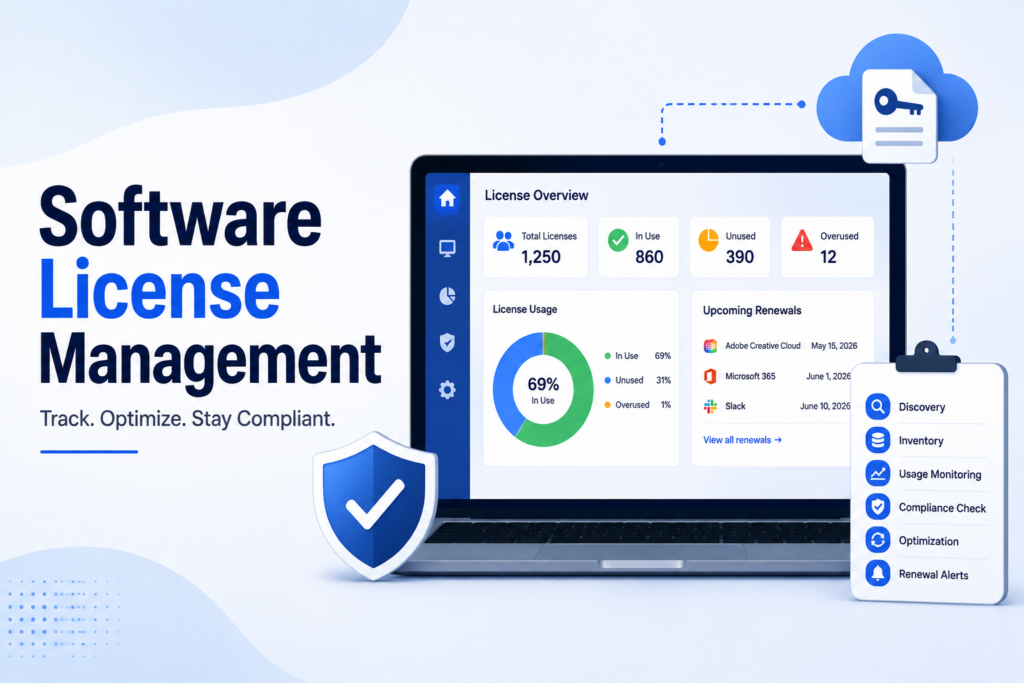
Most guides to software license management fall into one of two traps: they explain the concept in the abstract without naming a single real tool, or they name tools but skip the more useful question of whether you’re managing licenses as a software buyer or a software producer, two genuinely different jobs. This guide fixes both problems. We’ll explain how software license management actually works, ground every category with real, named tools instead of vague descriptions, and cover the AI licensing costs and security questions most guides leave out entirely. Whether you’re a company trying to control SaaS spend or a vendor trying to protect and monetize your own software, you’ll find the section that actually applies to you. By the end, you’ll understand software license management well enough to evaluate any tool with real confidence.
Table of Contents
A Quick Note on How This Guide Was Built
We’re not selling a licensing platform, so nothing here is written to funnel you toward one specific product. Every tool named below is a genuine, recognized example in its category, and pricing details reflect publicly available information where vendors disclose it. Many enterprise tools only offer custom quotes, and we’ve flagged that clearly rather than guessing at a number.
What Is Software License Management?
Software license management (SLM) is the set of processes and tools used to track, control, and optimize how software is licensed, deployed, and used within an organization. It covers everything from tracking who has access to which software, to ensuring your usage stays within the terms of your license agreements, to identifying wasted spend on unused seats.
Software license management sits underneath the broader category of software asset management (SAM), which itself is part of IT asset management. Historically, IT asset management focused on physical hardware. Today, software is where most of the actual cost and risk lives, which is why SLM has become its own dedicated discipline.
Two Very Different Perspectives on Software License Management
This is the distinction most guides skip, and it genuinely changes what “good” software license management looks like.
For software buyers (most companies), software license management means tracking what you’ve purchased, monitoring actual usage against entitlements, avoiding both over-licensing (paying for seats nobody uses) and under-licensing (risking a compliance violation), and preparing for vendor audits.
For software producers (companies that build and sell software), software license management means something closer to software monetization: defining licensing models, enforcing entitlements so customers only access what they’ve paid for, protecting intellectual property from piracy, and generating usage data that informs pricing decisions.
If you’re reading this as an IT or procurement professional, the buyer side is almost certainly what applies to you. If you’re on a product or engineering team building software that others will license, the producer side is the more relevant lens. The rest of this guide focuses primarily on the buyer side, since that’s the more common search intent, but the distinction is worth keeping in mind if you find yourself confused by content that seems to be answering a different question.
How Software License Management Works: The Core Process
Understanding how software license management actually works makes it much easier to evaluate any specific tool.
- Discovery: The system scans your environment, using methods like device agents, single sign-on logs, browser extensions, or direct API integrations with your software vendors, to find every piece of software actually in use.
- Inventory: Discovered software gets logged with details like license type, purchase date, cost, renewal date, and which employees or departments are using it.
- Usage monitoring: The platform tracks how often licenses are actually used, not just who they’re assigned to, since assigned and active usage frequently diverge.
- Compliance checking: The system compares actual usage against your license entitlements, flagging any gap that could create risk during a vendor audit.
- Optimization and reclamation: Underused or inactive licenses get identified for reclamation, downgrade, or cancellation, directly reducing wasted spend.
- Renewal and reporting: Automated alerts flag upcoming renewals with enough lead time to renegotiate terms or cancel before an unwanted auto-renewal kicks in.
This cycle repeats continuously rather than running as a one-time project, since software usage and your organization’s needs both change constantly.
Types of Software Licenses You’ll Encounter
Understanding license types matters because each carries different cost implications and management requirements.
- Perpetual licenses: A one-time fee for indefinite use, common with older, on-premise software.
- Subscription licenses: Recurring payments, typically including ongoing updates and support.
- Usage-based licenses: Costs scale with actual consumption, common in cloud and AI tools.
- Open-source licenses: Source code is available for use and modification, often free but with specific compliance obligations around distribution and attribution.
- Freeware and shareware: Free to use, sometimes with a trial period after which payment is expected.
Most organizations manage a mix of all of these simultaneously, which is exactly why a dedicated license management approach beats a spreadsheet once your software portfolio grows past a handful of tools.
Software License Management Software: Real Tools Compared
Rather than describing this category abstractly, here’s how the major players actually differ.
| Tool | Best For | Standout Strength | Pricing |
| Flexera FlexNet Manager | Large, complex enterprises | Multi-vendor compliance reporting at scale | Custom |
| Snow Software | Organizations wanting deep usage analytics | Highly accurate software recognition engine | Subscription-based |
| Lansweeper | Mid-size, diverse IT environments | Broad network and asset discovery | Per-asset pricing |
| ManageEngine AssetExplorer | Companies already using other ManageEngine tools | Strong CMDB integration | Tiered, per-node |
| Freshservice | Teams wanting unified ITSM plus asset management | Fast implementation, intuitive interface | Flexible plans, small team to enterprise |
| BetterCloud | SaaS-heavy organizations focused on reclamation | Automated license reclamation workflows | Custom |
None of these tools is universally “best.” Flexera suits genuinely complex, multi-vendor enterprise environments; Freshservice suits teams that want asset management folded into a broader IT service platform without a steep learning curve; BetterCloud leans specifically into automating the reclamation of unused SaaS seats.
Security Considerations by Tool Category
This is one of the most commonly skipped topics in existing guides, despite these platforms having deep visibility into your entire software environment.
- Discovery-heavy tools (Lansweeper, Flexera) need broad network access to scan for installed software, so confirm how that scanning traffic is secured and what’s actually collected.
- SaaS-focused platforms (BetterCloud) typically connect via OAuth to your identity provider and core SaaS apps, meaning their own account security becomes a meaningful part of your attack surface.
- Unified ITSM platforms (Freshservice, ManageEngine) often hold broader access across IT operations, not just licensing data, so role-based access controls matter more here than in a narrower point solution.
Across any category, confirm SOC 2 or equivalent certification, ask directly about data retention after you offboard a former employee’s licenses, and check whether the vendor publishes its own security practices clearly rather than only on request.
AI Licensing: A Fast-Growing Category Most Guides Ignore
This deserves its own section, since it’s genuinely reshaping software license management right now. Tools like Microsoft Copilot, ChatGPT Enterprise, Gemini, and Claude introduce a licensing category that behaves differently from traditional SaaS: premium per-seat pricing, highly variable actual usage, and add-on tiers layered on top of existing platform subscriptions.
Because adoption often happens quickly and unevenly across a company, AI license governance benefits from the same discipline as any other software: track who actually has access, monitor real usage rather than just seat assignment, and reclaim unused AI licenses on the same cadence you’d apply to any other underused software. Given the premium pricing most AI tools carry, unused AI seats tend to waste more money per license than a typical SaaS subscription left idle.
Common Challenges in Software License Management
A few recurring problems show up across organizations regardless of which tool they use:
- License sprawl, where the average company now runs hundreds of SaaS applications, many purchased independently by different departments without central visibility
- Manual tracking errors, since spreadsheet-based systems can’t keep pace with real-time usage changes
- Shadow IT, where employees adopt tools without going through procurement, leaving them invisible to any centralized system
- Audit unpreparedness, since vendor audits can result in penalties reaching several times the original license cost if usage exceeds entitlements
How to Choose the Right Software License Management Tool
- Company size: Small businesses should prioritize ease of use and fast setup; enterprises should prioritize integration depth and multi-vendor compliance support
- Existing IT stack: A unified ITSM platform like Freshservice makes sense if you already want asset management folded into service management; a specialized tool makes sense if you need deeper functionality in one specific area
- Primary pain point: If wasted SaaS spend is your biggest issue, prioritize tools with strong reclamation automation; if compliance risk is the concern, prioritize deep audit and entitlement tracking
- Integration requirements: Confirm compatibility with your existing identity provider, procurement system, and financial software before committing
Testing a shortlist of two or three tools against your actual software inventory reveals far more than any feature comparison chart.
Frequently Asked Questions
What is software license management used for?
It’s used to track, control, and optimize how software is licensed and used across an organization, helping companies avoid compliance risk, reduce wasted spend on unused licenses, and prepare for vendor audits.
How does software license management work in practice?
It typically follows a repeating cycle: discovering installed software, building an inventory, monitoring actual usage, checking that usage against license entitlements, reclaiming unused licenses, and tracking upcoming renewals.
What’s the difference between software license management for buyers and producers?
Buyers use software license management to control costs and stay compliant with the licenses they’ve purchased. Producers use it to enforce entitlements, protect their intellectual property, and structure how their own software gets monetized.
Is software license management only necessary for large companies?
No. Smaller companies benefit too, though the tools that fit best differ. A small business might do fine with a lightweight, easy-to-implement platform, while a large enterprise typically needs deeper multi-vendor compliance and audit capabilities.
How does AI software change license management?
AI tools like Copilot, ChatGPT Enterprise, and Gemini introduce premium, highly variable-usage licenses that are easy to over-purchase. Applying the same usage monitoring and reclamation discipline used for traditional software helps prevent this new category from becoming a significant source of waste.
Conclusion
Software license management comes down to a repeatable process, discovery, inventory, usage monitoring, compliance checking, and reclamation, applied consistently rather than treated as a one-time project. Whether you’re managing licenses as a buyer trying to control costs and compliance risk, or as a producer trying to monetize and protect your own software, the right tool depends on your specific pain point, not just feature count. Whatever you choose, confirm real security practices directly with the vendor, keep a close eye on the newer AI licensing category before it quietly becomes a major cost center, and test any shortlist against your actual software inventory before committing to a platform.