
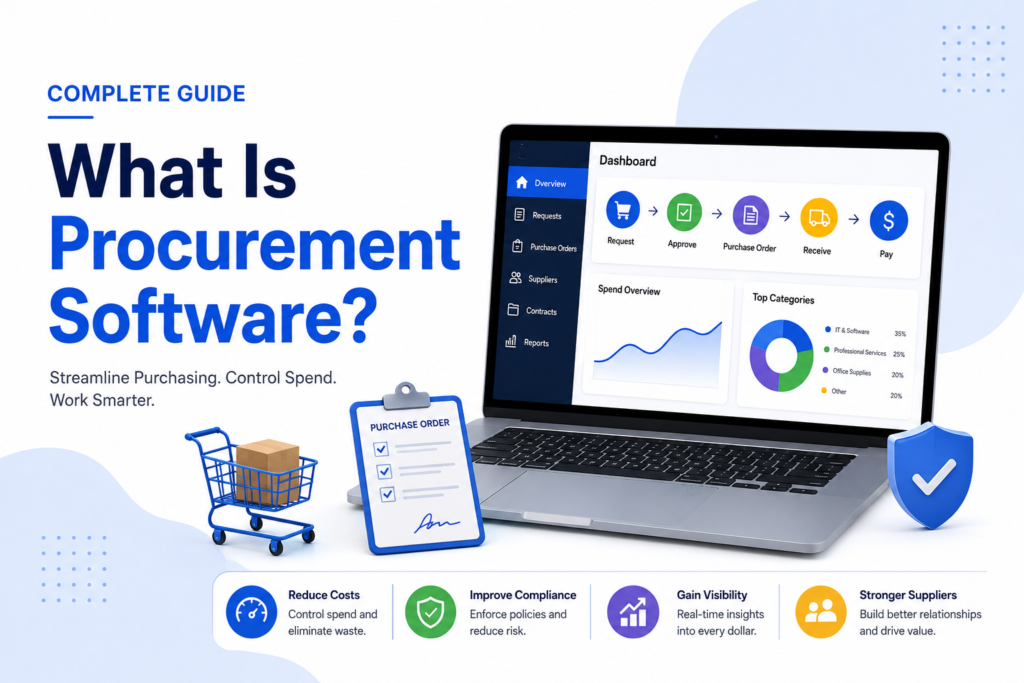
If you’ve searched for what is procurement software, you’ve probably found several articles that explain the concept in the abstract without ever naming a real tool or telling you what one actually costs. That’s a real gap, since understanding a category is much easier with concrete examples attached to it. This guide explains procurement software clearly, names real tools for each type so the categories aren’t just theory, and covers the pricing and security questions most guides skip entirely. We’ll also break down how the right software depends heavily on your company’s size and spend volume, something generic buying advice tends to ignore. By the end, you’ll understand not just what procurement software is, but which type actually fits your situation.
What Is Procurement Software?
Procurement software is a digital tool that automates and manages the process of sourcing, purchasing, and paying for the goods and services a business needs to operate. It replaces manual, spreadsheet-based purchasing with structured digital workflows, covering everything from submitting a purchase request to approving it, generating a purchase order, and eventually paying the vendor.
At its core, procurement software solves a specific problem: as companies grow, purchasing decisions multiply, and tracking who bought what, from whom, and at what price becomes genuinely difficult without a centralized system. Procurement software creates that central system.
What Is Procurement Management?
Procurement management is the broader business process that procurement software supports. It covers the full strategic cycle: identifying what a company needs, selecting and negotiating with suppliers, purchasing, receiving goods, and managing the ongoing supplier relationship. Procurement software is the tool; procurement management is the process the tool exists to support. Understanding this distinction matters, since software alone can’t fix a procurement process that isn’t well defined in the first place.
A Quick Note on How This Guide Was Built
We’re not selling a procurement platform, so nothing here is written to funnel you toward one particular product. Every tool named below is included because it’s a genuine, recognized example of its category, not because of a partnership or affiliate relationship. Pricing figures are checked against current public information where vendors publish it; many enterprise procurement platforms only offer custom quotes, and we’ve noted that clearly rather than guessing at a number.
The Different Types of Procurement Software
Procurement software isn’t one single type of tool. It splits into several distinct categories, each solving a different part of the purchasing lifecycle. Grounding each category with real, recognizable tools makes this far more useful than a purely abstract definition.
| Category | What it covers | Real examples | Best for |
| Source-to-pay (S2P) | End-to-end process from sourcing to final payment | SAP Ariba, Coupa, Ivalua | Large enterprises wanting full lifecycle control |
| Procure-to-pay (P2P) | Purchase requests, approvals, purchase orders, invoicing | Precoro, Procurify, Zip | Mid-market finance-led teams |
| AP automation | Invoice capture, matching, and payment processing | Tipalti, Bill.com, Order.co | Finance teams focused on accounts payable efficiency |
| Spend analytics | Visibility and reporting on company-wide spend | Zycus, GEP SMART | Procurement teams needing deep spend visibility |
| Supplier management | Vendor onboarding, risk tracking, and performance | Certa, Prokuria | Companies managing complex vendor relationships |
| Contract management | Contract creation, approvals, and renewal tracking | Ironclad, ContractWorks | Legal and procurement teams together |
In practice, some companies adopt one full-suite platform that covers most of this lifecycle, while others combine smaller, specialized point solutions. Neither approach is inherently better, it depends on how complex your purchasing process already is.
How Procurement Software Actually Works
Procurement software generally follows a consistent workflow, regardless of which specific tool or category you’re using:
- Purchase request: An employee submits a request for goods or services through the software instead of an email or a verbal request.
- Approval routing: The request automatically routes to the right approver based on budget, department, or spending limits, rather than sitting in someone’s inbox.
- Purchase order creation: Once approved, the software generates a formal purchase order sent directly to the vendor.
- Receiving and matching: When goods or services arrive, the system matches the delivery against the original purchase order and invoice, a process called three-way matching.
- Payment: Once everything matches correctly, payment is processed, often automatically, and recorded for accounting purposes.
This structure is what replaces the scattered emails, spreadsheets, and paper trails that make manual procurement genuinely hard to track and audit.
Why Businesses Need Procurement Software
Manual procurement isn’t just slower, it actively creates risk. Without a centralized system, companies commonly run into a few recurring problems:
- Maverick spending, where employees purchase outside approved vendors or budgets because there’s no easy, visible alternative
- Duplicate orders, since without a shared record, two people can unknowingly order the same thing
- Delayed approvals, when a purchase request sits in an inbox waiting for someone to notice it
- Poor spend visibility, making it hard for finance teams to know what’s actually being spent, and where, until it’s too late to adjust
Procurement software directly addresses each of these by centralizing requests, enforcing approval rules automatically, and giving finance and operations teams real-time visibility into spend as it happens rather than after the fact.
What Does Procurement Software Cost?
This is one of the most commonly skipped questions in existing guides, and pricing varies significantly by category and company size.
- Small business and point solutions (like Procurify or Precoro) often start in the range of a few hundred dollars per month for smaller teams, sometimes with per-user pricing on top.
- AP automation tools (like Bill.com or Tipalti) frequently use a mix of monthly platform fees and per-transaction costs.
- Mid-market P2P platforms typically scale with user count and transaction volume, often landing in the low thousands of dollars per month once a company has meaningful purchasing volume.
- Enterprise source-to-pay suites (like SAP Ariba or Coupa) are almost universally custom-quoted, since pricing depends heavily on modules used, transaction volume, and implementation scope. Expect a sales conversation rather than a published number.
If a vendor won’t give you even a rough pricing range before a demo, it’s reasonable to ask directly rather than assuming the eventual quote will fit your budget.
Security and Compliance: What to Check Before You Commit
Procurement software touches sensitive information, vendor banking details, contract terms, and company spending data, yet security rarely gets more than a passing mention in most explainer content. A few things worth confirming before adopting any procurement platform:
- SOC 2 or equivalent certification, particularly important for any platform processing payments or handling vendor financial details
- Role-based access controls, so only authorized users can view or approve specific categories of spend
- Audit trail completeness, since procurement records are frequently reviewed during financial audits and need to be traceable
- Data handling during offboarding, confirming what happens to your vendor and spend data if you switch platforms later
These questions matter more as your spend volume grows, since procurement software effectively becomes a system of record for a meaningful portion of your company’s financial activity.
Choosing Procurement Software by Company Size
The right procurement software depends heavily on how much you’re spending and how complex your supplier relationships already are, not just on feature lists.
Small businesses and startups typically do fine with a lightweight point solution, or even a simple procure-to-pay tool, rather than a full source-to-pay suite. The overhead of implementing an enterprise platform usually isn’t worth it until purchasing complexity actually justifies it.
Growing mid-market companies often reach a point where manual approval routing and spreadsheet tracking genuinely start costing time and creating errors. This is typically where a dedicated P2P platform or AP automation tool starts paying for itself.
Large enterprises with multiple business units, complex vendor networks, and high transaction volume generally benefit most from a full source-to-pay suite, since the ability to manage sourcing, contracts, and payment in one connected system becomes genuinely valuable at that scale.
What to Look for When Evaluating Procurement Software
Beyond category and pricing, a few practical factors are worth prioritizing:
- Integration with your existing ERP or accounting software, since disconnected systems recreate the visibility problem procurement software is meant to solve
- Realistic implementation timelines, since enterprise suites can take months to fully deploy, while point solutions are often live within days
- Actual user adoption, since a procurement tool that’s difficult to use tends to get bypassed, which quietly recreates the maverick spending problem it was meant to prevent
- Flexibility to add categories over time, so you’re not locked into a narrow tool if your procurement needs grow
Testing a tool with your actual purchasing workflow during a trial period reveals far more than a feature comparison ever will.
Frequently Asked Questions
What is procurement software used for?
Procurement software automates the process of requesting, approving, purchasing, and paying for goods and services, replacing manual spreadsheets and email-based workflows with a centralized digital system.
What is the difference between procurement software and an ERP system?
An ERP system manages broad business operations, including finance, HR, and inventory, while procurement software focuses specifically on the purchasing lifecycle. Many procurement platforms integrate directly with ERP systems rather than replacing them.
Is procurement software only for large companies?
No. Point solutions and lightweight procure-to-pay tools are built specifically for small and mid-sized businesses, while full source-to-pay suites are generally reserved for larger, more complex organizations.
What is the difference between procurement software and purchase order software?
Purchase order software typically covers one specific step, generating and tracking purchase orders, while broader procurement software covers the entire cycle from purchase request through approval, ordering, and payment.
How long does it take to implement procurement software?
This depends heavily on the category. Lightweight point solutions can often be live within days, while enterprise source-to-pay suites frequently take several months due to the number of integrations and workflows involved.
Conclusion
Procurement software isn’t a single product, it’s a category spanning everything from lightweight purchase-order tools to full source-to-pay platforms, and the right choice depends on your company’s size, spend volume, and how complex your supplier relationships already are. Whatever type you’re evaluating, ask directly about pricing rather than assuming, confirm the platform’s security and audit trail practices given how much sensitive spend data it will hold, and test it against your actual purchasing workflow before committing. Procurement management is ultimately about process, and procurement software is only as useful as how well it fits the process you actually run.