
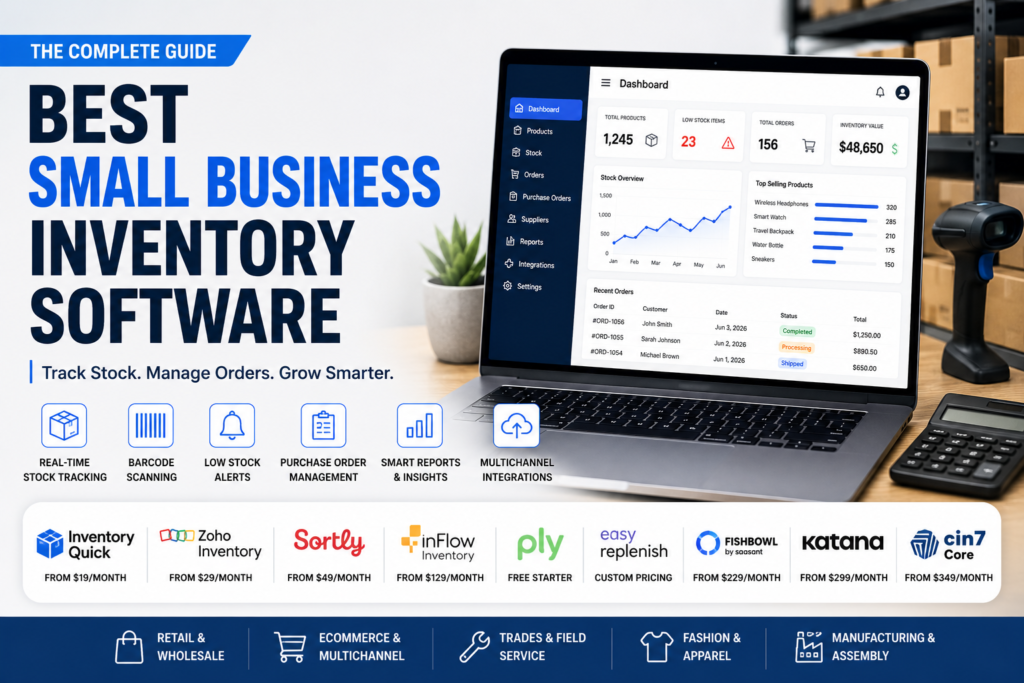
Sorted by what kind of small business you actually run, not one flat list.
Search for the best small business inventory software and nearly every result you find was actually built for one specific type of business, a fashion brand, a trades contractor, a wholesaler, and then marketed as the right pick for everyone. That mismatch is the reason so many small businesses try three different tools before finding one that fits. This guide starts by helping you identify what kind of inventory problem you actually have, then gives you real verified pricing across a wider set of tools than most roundups cover, including the per user fees and hidden costs that quietly change the real bill. You will also get a straight answer on which multichannel integrations are genuine and which are just a basic data feed. Let us start with the question most articles skip entirely.
Table of Contents
What Small Business Inventory Software Should Actually Cover
Feature lists across vendor sites tend to blur together, so it helps to know which capabilities genuinely matter regardless of which business type you fall into.
- Real time stock tracking that updates the moment an item sells or moves, not a nightly batch update
- Barcode scanning that works from a phone camera, so you are not buying separate handheld hardware
- Low stock alerts set at a reorder point you control, not a generic one size fits all threshold
- Purchase order creation and tracking against what has actually arrived versus what is still on order
- Basic reporting showing what is selling, what is sitting, and your total inventory value at a glance
- A clean CSV export option, covered in more detail further down, since this protects you if you ever switch tools
A tool that covers these six solidly, even without a long list of extra features, will usually serve a small business better than one with an impressive feature list but weak execution on the basics.
Know Your Business Type Before You Trust Any Ranking
A lot of small business inventory software roundups are actually written by the vendor whose product tops the list, and that vendor’s own tool is often built for one specific kind of business, then marketed as the universal answer. A tool built for tracking truck stock across a trades crew solves a genuinely different problem than one built for fashion demand forecasting or general retail stock counts. Before comparing any two tools directly, it helps to know which bucket you actually fall into.
- General retail or a single shop location, mainly needing accurate counts and reorder alerts
- Multichannel ecommerce selling across Shopify, Amazon, and similar marketplaces at once
- A trades or field service business tracking parts across trucks and job sites rather than a warehouse
- A fashion, apparel, or size and color heavy product line with real seasonal demand swings
- Light manufacturing or assembly, where finished goods are built from tracked components
Once you know which of these fits, the rest of this guide gets a lot more useful, since the best small business inventory software for a trades crew is rarely the best fit for a fashion brand, even though both get marketed under the same search term.
Real Pricing for Best Small Business Inventory Software Options
Pricing pages change often and some vendors do not publish numbers at all, so here is what the most commonly discussed small business inventory software options actually charge, including the per user fees that quietly change your real monthly bill.
| Software | Starting Price | Per User Fees | Free Tier | Built Primarily For |
| InventoryQuick | $19 monthly | None | 7 day trial only | General small shops and warehouses |
| Zoho Inventory | $29 monthly annual | $7.50 per user | Yes, 50 orders monthly | Multichannel sellers already using Zoho |
| Sortly | $49 monthly | 2 users included | Yes, 100 items | Visual asset and equipment tracking |
| inFlow | $129 monthly annual | $59 per user past 2 | No | Wholesalers and light manufacturing |
| Ply | Free starter tier | Paid tiers scale by seats | Yes, limited items | Trades contractors tracking truck stock |
| EasyReplenish | Custom, tiered | Not published | Free trial only | Fashion and apparel demand forecasting |
| Fishbowl | $229 monthly annual | Tier jumps by user count | No | Manufacturing and QuickBooks integration |
| Katana | $299 monthly base | None, usage based fees instead | Yes, 30 SKUs | Small manufacturers with a production floor |
| Cin7 Core | $349 monthly | 5 users included | No | Omnichannel sellers with heavy channel mix |
Checking each vendor’s current pricing page directly before committing is worth doing regardless, since these numbers and free tier caps shift as companies update their plans.
Why Per User Fees Matter More Than the Sticker Price
A price that looks reasonable on a homepage can double or triple once your actual team logs in. inFlow’s listed $129 a month turns into well over $300 once you add a handful of users at $59 each past the first two included seats. Zoho’s $7.50 per user adds up quickly for a team of five or six. Tools with flat pricing, where the whole team is included at one price regardless of headcount, tend to work out cheaper in practice for any business with more than two or three people touching the system, even when their starting number looks higher on paper.
Matching Software to Your Actual Business Type
General retail or a single location. InventoryQuick and Sortly both keep things simple with real time counts, barcode scanning from a phone camera, and low stock alerts, without forcing you into features built for manufacturing or complex multichannel logic you do not need.
Multichannel ecommerce. Zoho Inventory and Cin7 Core both handle syncing stock across Shopify, Amazon, and similar channels, though Cin7 carries meaningfully higher cost and is worth it mainly once your channel mix genuinely gets complicated.
Trades and field service. Ply is built specifically around tracking parts across service trucks and job sites rather than a static warehouse, which is a real structural difference from tools built for retail shelves.
Fashion and apparel. EasyReplenish focuses on demand forecasting for size, color, and style heavy product lines, a genuinely different problem than simple stock counting, and worth considering specifically if seasonal demand swings are your main pain point.
Light manufacturing or assembly. Katana and Fishbowl both support bills of materials and production tracking that general retail tools do not handle at all, though Katana’s usage based order fees and Fishbowl’s required paid implementation both add real cost beyond the base price.
Is the Multichannel Sync Actually Real Time
Nearly every product page claims to integrate with Shopify, Amazon, or your point of sale system, but that word covers very different levels of depth. Some integrations sync stock levels in both directions within minutes, so a sale on one channel instantly updates availability everywhere else. Others amount to a periodic CSV export you still have to import manually, which defeats much of the purpose if you are trying to avoid overselling. Before assuming a listed integration solves your specific problem, ask directly during a trial or demo how frequently the sync actually runs and whether it updates in both directions, not just one.
Free Tier Honesty, What Each Cap Actually Means
- Zoho Inventory’s free plan stops at 50 orders a month, which a moderately busy shop can hit within the first two weeks
- Sortly’s free plan covers up to 100 items, workable for a small equipment list but tight for a full retail catalog
- Katana’s free tier covers only 30 SKUs, really a product trial rather than a usable long term free plan
- InventoryQuick and EasyReplenish both offer a free trial rather than an ongoing free tier, so budget for a paid plan from day one if you choose either
None of these caps are unreasonable for a genuine trial, but treating any of them as a permanent free solution for a growing business tends to backfire once you hit the ceiling mid month.
Data Export and the Real Cost of Switching Later
Almost nobody asks this question before signing up, and it matters more than most feature comparisons. If you ever need to switch tools, can you actually get your full inventory history out in a usable format, or does your data effectively stay locked inside the platform you are leaving? Most of the tools listed here support a basic CSV export of current stock levels, but historical movement records, purchase order history, and supplier data are not always included in that export. Asking this question directly before committing, not after you have a year of data built up, avoids a genuinely painful migration later.
A Note on AI Powered Inventory Features
Several vendors, including a few covered here, now advertise AI powered demand forecasting or reorder suggestions. In practice, these features generally work by analyzing your own past sales data to predict near term demand, which is genuinely useful once you have a few months of consistent sales history, but far less accurate for a brand new product or a highly seasonal item with limited past data to learn from. Treat these features as a helpful second opinion on your reorder timing, not a replacement for your own judgment about upcoming promotions or known seasonal swings the software has no way to know about in advance.
The best small business inventory software is not one universal answer, it is whichever tool matches the specific shape of your inventory problem. A single retail shop, a multichannel ecommerce brand, a trades crew running trucks, and a small manufacturer are all searching the same keyword and need genuinely different tools. Start by identifying which of those categories you actually fall into, check the real per user cost rather than the advertised starting price, and confirm any multichannel sync is truly real time before you build your operations around it. Get that part right, and small business inventory software stops being a monthly frustration and starts doing the job it was actually built for.