
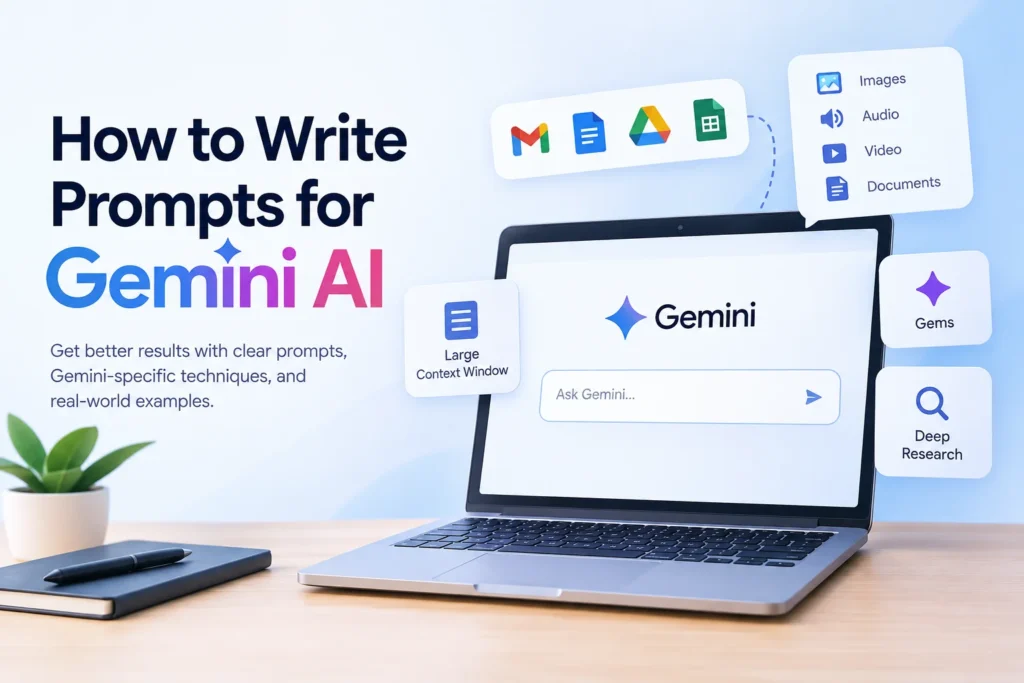
Most guides on how to write prompts for Gemini AI could just as easily be titled guides for any chatbot, swap the name and nothing else changes. That’s a real problem, because Gemini has genuine capabilities that generic prompting advice completely ignores, including a massive context window, native multimodal input, and direct access to your Gmail, Docs, and Drive. This guide covers both halves of the picture: the universal prompting fundamentals that apply everywhere, and the Gemini specific techniques that actually take advantage of what makes this tool different. You’ll walk away with a repeatable process, real example prompts, and a clear sense of what to avoid, including one common mistake that quietly encourages the AI to make things up.
Table of Contents
What Makes Gemini Different From Other AI Tools
Before getting into technique, it’s worth knowing what you’re actually working with, since several of Gemini’s capabilities change how you should write prompts in the first place.
Gemini is natively multimodal, meaning it was built from the ground up to handle text, images, audio, video, and documents together rather than bolting image understanding on as an afterthought. It also offers one of the largest context windows available in a mainstream AI assistant, letting you paste in lengthy reports, full codebases, or long transcripts and still get a response grounded in all of it, not just the first few pages.
Three more features are worth knowing before you start writing prompts:
Gems let you save a custom persona with fixed instructions, so you’re not retyping the same role and style guidance every single time.
Deep Research mode has Gemini browse and synthesize information across many sources automatically, useful for prompts that need more than what’s already in its training data.
Workspace integration lets Gemini work directly with your Gmail, Docs, Sheets, and Drive files when you reference them in a prompt, something a standalone chatbot simply can’t do.
Keeping these in mind changes what a good prompt looks like, since you’re not just asking questions, you’re sometimes pointing Gemini at real files and asking it to work with them directly.
The Four Building Blocks of a Strong Prompt
Every effective prompt, regardless of the task, tends to include some combination of these four elements.
Task: a clear, specific instruction using an action verb like summarize, draft, compare, or explain.
Context: the background information Gemini needs to avoid guessing, your audience, your goal, or the actual data you’re working with.
Format: how you want the answer structured, a list, a table, a short paragraph, or a specific word count.
Tone or persona: the voice you want the response written in, whether that’s formal, casual, or written from a specific point of view.
A vague prompt like “help me write an email” leaves all four of these up to chance. A prompt that specifies the task, the context, the format, and the tone gives Gemini almost everything it needs to get the answer right on the first try.
A Step by Step Process for Writing Gemini Prompts
Step 1: Define your actual goal
Before typing anything, get specific about what you want the output to be. Not “help with marketing,” but “a 3 point social media plan for a new gluten free bakery targeting health conscious shoppers in their 30s.”
Step 2: Add the context Gemini needs
Include anything Gemini can’t already know: your industry, your audience, the specific document you’re referencing, or constraints like budget or deadline.
Step 3: Specify the format
State directly whether you want bullet points, a table, a short paragraph, or a longer structured piece, and include a length limit if one matters.
Step 4: Set a tone or persona if it matters
A short phrase like “write this as a friendly, experienced project manager” meaningfully shapes how the response reads, especially for anything client facing or public.
Step 5: Review and refine
Treat the first response as a draft, not a final answer. If it’s too generic, that usually means the prompt needed more context. If the tone is off, say so directly in your next message rather than starting over completely.
Example Prompts You Can Adapt
Weak prompt: Tell me about electric cars.
Stronger prompt: Explain the main trade offs between electric and gas cars for a first time buyer on a moderate budget. Use a simple comparison table with no more than five rows.
Weak prompt: Write a product description.
Stronger prompt: Write a product description for a reusable water bottle aimed at outdoor hikers. Keep it under 100 words, highlight durability and weight, and use an energetic, confident tone.
Weak prompt: Summarize this report.
Stronger prompt: Summarize the attached report in four bullet points, focusing only on the budget recommendations. Skip the background sections entirely.
Prompting Gemini With Your Own Files and Documents
This is where Gemini genuinely pulls ahead of a standalone chatbot, and it’s a technique most prompting guides never mention at all.
Because Gemini integrates directly with Google Workspace, you can reference real files instead of pasting their contents manually:
- “Summarize the key action items from my last three emails with [name].”
- “Compare the figures in this spreadsheet against last quarter’s numbers and highlight anything that changed by more than 10 percent.”
- “Draft a reply to this email thread that addresses the client’s three open questions.”
When referencing a file, still apply the same four building blocks: be specific about the task, note anything Gemini should focus on or ignore, specify the format you want back, and mention tone if the output is going to a real person.
A Mistake Worth Avoiding Completely
Some prompting advice floating around actually tells you to ask the AI to “make up study names” or invent supporting details when you don’t have real ones handy. This is genuinely bad guidance, and worth avoiding entirely.
Asking an AI to fabricate sources, statistics, or citations doesn’t just risk an embarrassing mistake, it actively trains you to treat confident sounding AI output as trustworthy when it isn’t. If you need supporting data and don’t have it, either provide the real source yourself or explicitly ask Gemini to flag that a claim needs verification rather than inventing one to fill the gap.
Common Mistakes When Prompting Gemini
A few patterns show up again and again, even among experienced users:
- Asking multiple unrelated questions in one prompt, which tends to produce a shallow answer to each instead of a strong answer to one
- Assuming Gemini remembers something from an earlier, unrelated conversation
- Leaving out the format entirely and then being surprised by a wall of text
- Treating the first response as final instead of refining it with a quick follow up
- Using overly complex or jargon heavy phrasing in the prompt itself, when plain language usually works better
Using Gems for Repeated Tasks
If you find yourself writing the same type of prompt over and over, a Gem saves real time. Instead of retyping your role, tone, and formatting preferences every session, you set them once and reuse that custom assistant going forward.
This is especially useful for recurring tasks like drafting weekly reports in a consistent format, responding to customer emails in a specific brand voice, or reviewing code against the same set of standards each time.
Frequently Asked Questions
How do I write better prompts for Gemini AI specifically?
Focus on the four building blocks, task, context, format, and tone, and take advantage of what makes Gemini different, including its large context window and its ability to work directly with your Gmail, Docs, and Drive files rather than requiring you to paste everything manually.
What are good Gemini AI prompting techniques for beginners?
Start by being specific about your task and audience, specify the format you want, and treat the first answer as a draft you can refine rather than a final result. These three habits alone fix most weak prompts.
Can Gemini read my Google Docs or Gmail directly?
Yes, through Workspace integration, Gemini can reference and work with your Gmail, Docs, Sheets, and Drive files directly when you mention them in a prompt, rather than requiring you to copy and paste the content in manually.
Why does Gemini sometimes give a generic answer?
This usually means the prompt was missing context or a clear task. Adding specific details about your audience, goal, or the exact angle you want covered almost always produces a more useful response.
Is it okay to ask Gemini to make up examples or sources?
No. Asking an AI to invent sources, statistics, or citations risks spreading inaccurate information and undermines the reliability of whatever you’re writing. If you lack a real source, say so and ask Gemini to flag the gap instead.
Final Thoughts
Learning how to write prompts for Gemini AI comes down to two things working together: the universal habits that improve any prompt, like clarity, context, and format, and the Gemini specific techniques that actually take advantage of its large context window, multimodal input, and direct access to your Workspace files. Most guides only cover the first half. Once you start referencing real documents instead of retyping their contents, saving recurring tasks as Gems, and refining your prompts instead of accepting the first answer, you’ll notice a real difference in how useful Gemini’s responses become.