
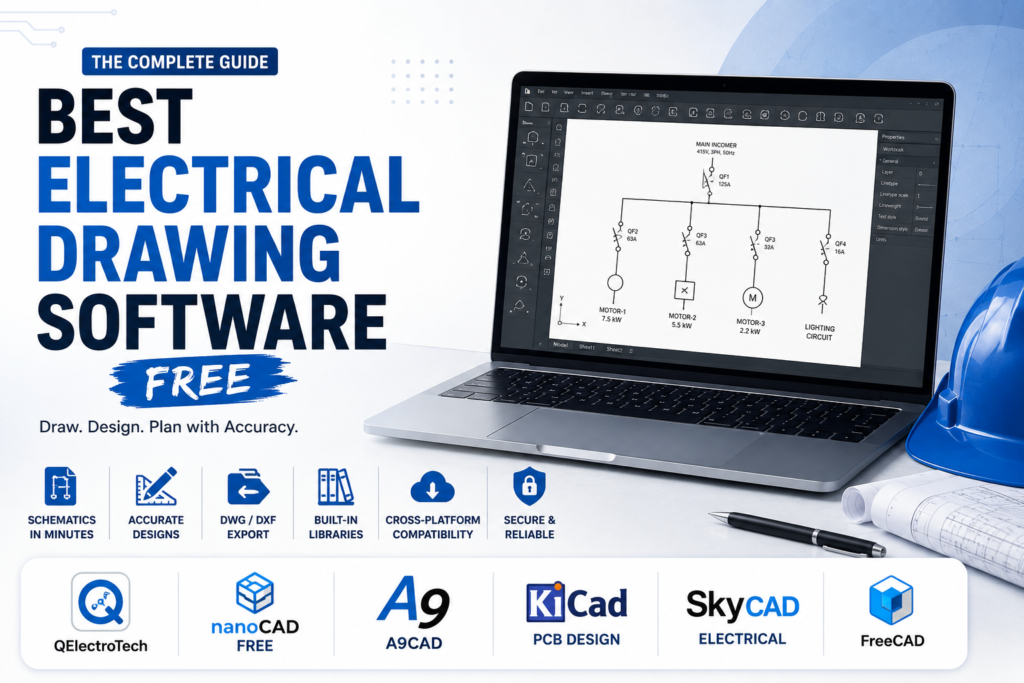
Search for the best electrical drawing software free and you will get a confusing mix of results, some built for circuit boards, some built for industrial control panels, and some that are just general 3D modeling tools with the word electrical bolted onto a blog post. That mismatch wastes real time if you are trying to draw a one line diagram or a panel schematic and instead land on a tool meant for laying out a circuit board. This guide starts by sorting out which category you actually need, then compares real free options within that category, including exact pricing where it exists and the file compatibility details that decide whether your drawings will actually open on someone else’s machine. By the end you should be able to pick a tool that fits the job, not just the search result that ranked highest.
Table of Contents
Picking the Best Electrical Drawing Software Free of Charge
This is the step almost every roundup skips, and it causes more wasted downloads than any missing feature. Electrical drawing software actually splits into three distinct categories, and they are not interchangeable.
Panel and schematic design. This covers one line diagrams, control panel layouts, and wiring schematics used by electricians, panel builders, and automation engineers. Tools here include QElectroTech, EPLAN, SEE Electrical, PCSchematic, and SkyCAD. If someone asked you to draw or read a schematic for a control cabinet, this is your category.
PCB and circuit board design. This is a different discipline entirely, focused on laying out physical circuit boards for electronics. KiCad, TinyCAD, FreePCB, and Circuitmaker live here. If you are designing a circuit board itself rather than a building or panel’s wiring, this is what you actually want, even though these tools also get labeled electrical design software.
General purpose CAD. Tools like AutoCAD LT, NanoCAD, A9CAD, and FreeCAD were not built specifically for electrical work, but they draft electrical layouts well enough if you build your own symbol library. Many working electricians actually prefer this route since it keeps them in a familiar, AutoCAD compatible environment.
If you already know which of these three you need, skip ahead to that section. If you are not sure, the simplest test is this, are you drawing a circuit board, a building or panel schematic, or do you just need a flexible drafting tool and plan to build your own symbols.
The Free Options That Are Actually Worth Downloading
Here is how the strongest free electrical schematic software and general drafting options actually compare once you sort them correctly.
| Tool | Category | Cost | Opens or Exports DWG |
| QElectroTech | Panel and schematic design | Free, open source | No, uses its own format plus PDF and SVG export |
| A9CAD | General CAD, AutoCAD style | Free | Yes, reads and writes DWG |
| NanoCAD | General CAD, AutoCAD style | Free older version, $249 a year for current | Yes, strong DWG support |
| FreeCAD | General CAD, 3D modeling | Free, open source | Limited, better with STEP and IGES |
| KiCad | PCB and circuit board design | Free, open source | No, not built for DWG workflows |
| TinyCAD | PCB and circuit schematic capture | Free, open source | No |
| SkyCAD | Panel and schematic design | Free version, paid tiers for panel layout | Yes, exports to DWG and DXF |
| AutoCAD viewer | Viewing only, not editing | Free | Yes, view only |
Checking each tool’s current download page before committing is worth doing, since free tiers and version numbers shift over time.
If You Need Panel and Schematic Design
QElectroTech is the strongest genuinely free option here, purpose built for electrical, hydraulic, and control schematics with a real symbol library rather than one you have to build yourself. It supports IEC 60617 standardized symbols out of the box, which matters if your drawings need to meet European or international conventions rather than the ANSI style symbols common in North America.
SkyCAD is worth knowing about too, since its free tier covers basic schematic work with DWG and DXF export, though its interface has a real learning curve and its more advanced panel layout tools sit behind a paid tier. If your work needs to match an industry standard tool exactly, EPLAN and PCSchematic are the two most mentioned by working engineers, though neither is free. PCSchematic in particular comes up repeatedly as a genuinely cheaper, easier alternative that covers most of what EPLAN does.
If You Need PCB or Circuit Board Design
KiCad is the clear leader among free options, an open source suite that handles schematic capture, PCB layout, and even 3D visualization of the finished board. TinyCAD is lighter weight and focuses purely on schematic capture rather than a full board layout workflow, which suits someone who only needs the diagram, not the manufacturing file. Neither of these tools is built around DWG compatibility, since PCB design uses entirely different file formats like Gerber, so do not expect to move files between this category and an AutoCAD based workflow easily.
If a General CAD Tool Fits Your Workflow Better
A surprising number of working electricians skip dedicated electrical software entirely and stick with AutoCAD LT or a compatible alternative, building their own symbol library once and reusing it on every project. NanoCAD is the option that comes up most often as a serious AutoCAD replacement, free in an older version and $249 a year for the current one, with strong DWG support that makes file sharing with clients and other contractors painless. A9CAD is a lighter, fully free alternative styled closely after older AutoCAD versions, though it has a rougher interface and less active development behind it.
This route takes more upfront setup since you are building your own library instead of using one that ships with the software, but it keeps you in a file format every contractor, client, and inspector can already open.
IEC Symbols Versus ANSI and NEMA Symbols
This is another detail that gets skipped entirely in most comparisons, and it matters if your drawings need to meet a specific regional standard. IEC 60617 symbols are the norm across Europe and much of the rest of the world, while ANSI and NEMA style symbols are standard across North America. QElectroTech ships with IEC symbols built in, which is ideal if you are working on European or internationally specified projects, but means extra setup work if your client expects NEMA style symbols instead. General CAD tools like NanoCAD or AutoCAD LT do not favor either standard, since you build your own library, which can actually be an advantage if you regularly switch between symbol conventions on different projects.
Why DWG Compatibility Matters More Than Most Feature Lists Suggest
This is the single most repeated concern among working electricians discussing this topic, and it is worth taking seriously before you pick a tool. If your drawings need to reach a client, an inspector, or another contractor who is almost certainly running AutoCAD, a tool that cannot open, edit, or export DWG files creates a real bottleneck, regardless of how good its own internal features are. QElectroTech and KiCad both use their own native formats, exporting to PDF or SVG rather than true DWG, which works fine if your drawings stay internal but becomes a real limitation the moment someone downstream needs to edit the file themselves.
If DWG compatibility is a hard requirement for your work, NanoCAD or A9CAD are the safer starting points among the genuinely free electrical drawing software options, even though neither ships with an electrical specific symbol library the way QElectroTech does.
Viewer Only Versus a Full Editing License
Not everyone who touches an electrical schematic needs to edit one. If your role is mainly reviewing drawings, checking them on site, or sharing them with a subcontractor, a free viewer covers that need without paying for a full license at all. The official AutoCAD viewer reads DWG files at no cost and works well for exactly this purpose. It is worth confirming with your team whether everyone actually needs editing rights before assuming a paid seat is required for each person touching a drawing.
How Long the Learning Curve Actually Takes
Vendor pages and reviews both tend to describe a tool as easy or difficult without saying what that actually means in hours. In practice, QElectroTech and TinyCAD are approachable within a few days for someone with any CAD background at all, since both lean on drag and drop symbol placement. NanoCAD and A9CAD take a bit longer if you are building your own electrical symbol library from scratch, usually a couple of weeks to feel genuinely efficient. Industry standard tools like EPLAN sit at the other end, commonly taking new users a month or more of regular use before they stop feeling slow, which is part of why so many smaller shops choose a lighter alternative instead.
The best electrical drawing software free option for you depends entirely on which category of work you are actually doing, not which tool shows up first in a search result. Confirm whether you need panel and schematic design, PCB layout, or a flexible general CAD tool before you download anything, check that DWG compatibility matches how you actually share files, and be honest about whether you need full editing rights or just a viewer. Get that sorted first, and the rest of the decision gets a lot easier.
Pingback: Free Drawing Software: Best Tools for Digital Art